Physical Address
304 North Cardinal St.
Dorchester Center, MA 02124
Physical Address
304 North Cardinal St.
Dorchester Center, MA 02124


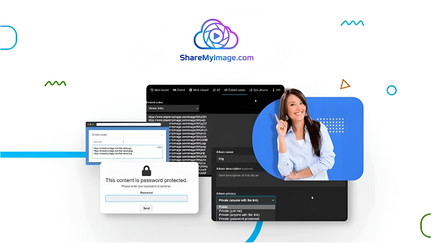
You need an image host that keeps pace with fast website builds, e-commerce catalogs, and large media files. Share My Image lets you upload images, videos, and Shorts up to 1 GB, organize them into folders with privacy controls, and generate direct links, thumbnails, and embeds.
For designers, store owners, and developers, it can speed up workflows, centralize media, and reduce the friction of manually hosting assets. This review digs into what works, what’s limited, and when this tool can actually save you time and money.
| Feature | Verdict |
|---|---|
| Ease of Use | ⭐️⭐️⭐️⭐️ ⏱️ – Clean, fast interface for uploads, though some users report folder/navigation friction. |
| Upload Limits | ⭐️⭐️⭐️⭐️ 🎥 – Supports large files up to 1 GB, good for high-res images and video hosting. |
| Integrations & API | ⭐️⭐️⭐️ 🔌 – ShareX and API are supported, but image upload via URL is temporarily disabled, limiting automation. |
| Sharing & Collaboration | ⭐️⭐️⭐️ 🔗 – Excellent for generating links and embedding, less ideal for bulk downloads or collaborative bulk access. |
| Value for Money | ⭐️⭐️⭐️⭐️ 💸 – $99 deal vs original $1,099 makes it attractive for freelancers and small teams needing hosted media. |
You get a straightforward image- and video-hosting tool that feels built for people who juggle visuals daily. Upload files up to 1 GB, organize them into folders and subfolders, and grab direct links, Markdown, HTML or thumbnails in a few clicks. It works well for everyday tasks like sending product photos to clients, staging social posts, or storing site assets, and for special occasions like launching a product catalog or sharing a media-heavy portfolio. The interface is generally clean and fast, backed by a global CDN, so assets load quickly for viewers.
There are a few rough edges — bulk downloads and some API upload methods are restricted right now — but if your workflow centers on hosting, sharing, and embedding images and short videos, this is a handy, no-fuss option you can rely on.
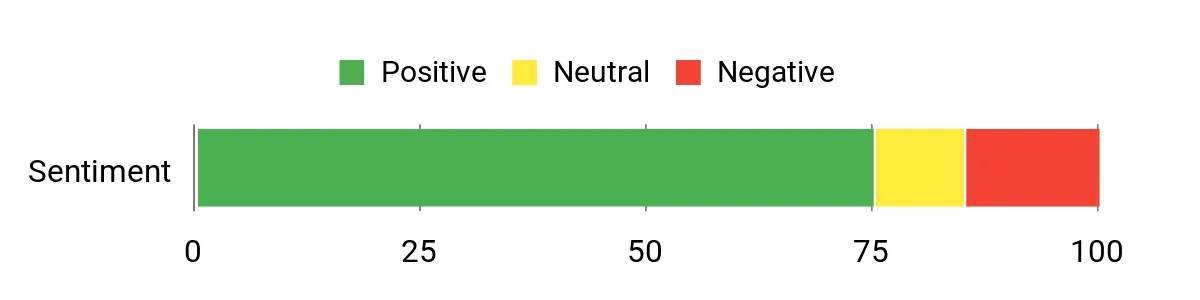
Customers appreciate how Share My Image speeds up everyday workflows — particularly for website builds and client sharing. People highlight reliability, simple organization, and the time saved when managing visual assets, while a few reviewers mention limitations around bulk downloading and some API upload capabilities.
Overall Sentiment: Positive
🗣️ nestor94
Super useful tool! I use it every day to share videos and images with my clients and team. It’s fast, reliable, and really easy to use. Saves me time and keeps everything organized. Totally worth it!
🗣️ NicheFriend
Share my image makes hosting a breeze.
I go through website builds way faster thanks to this app!
Definitely recommend it.
| Pros | Cons |
|---|---|
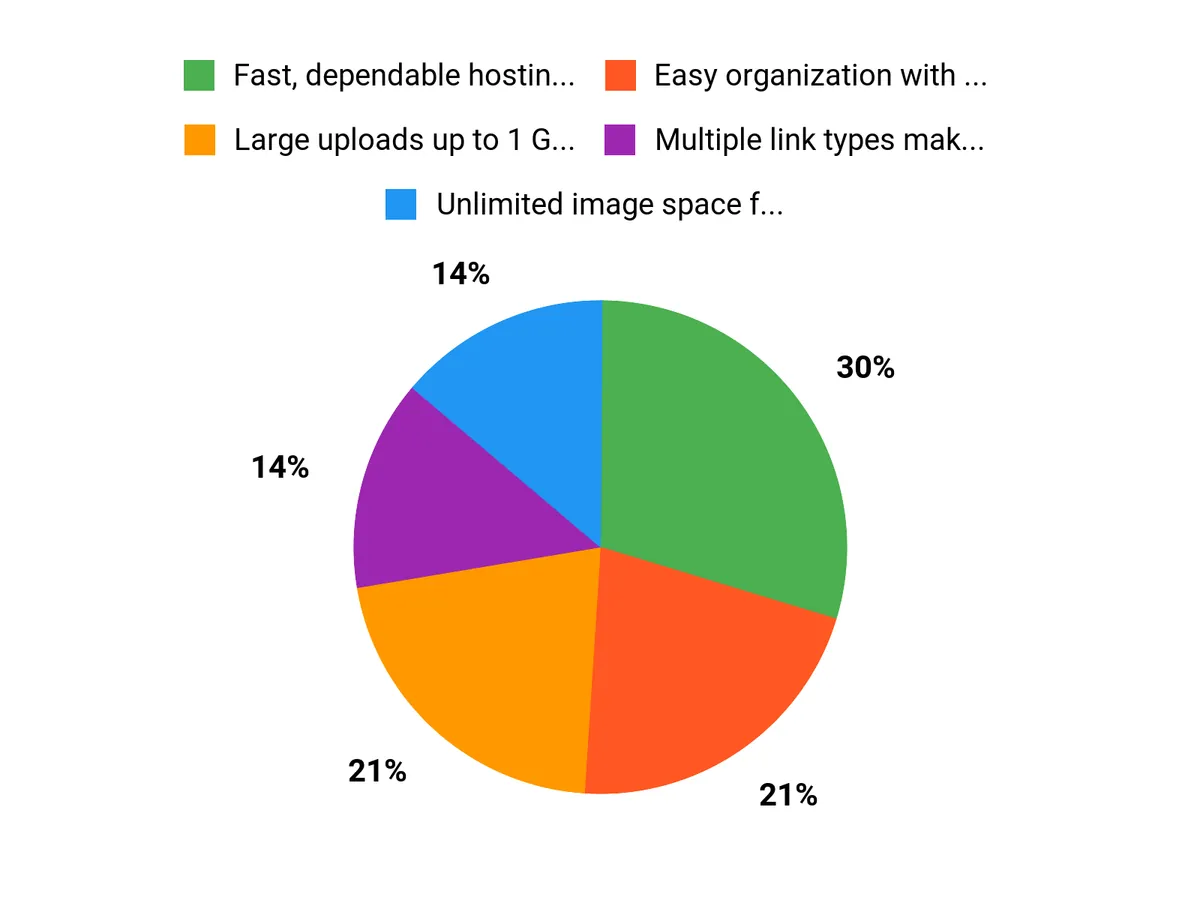
| ✅ Fast, dependable hosting with CDN support | ❌ No native bulk download option — users must rely on workarounds |
| ✅ Easy organization with folders and subfolders | ❌ Some API upload methods (URL uploads) are temporarily disabled |
| ✅ Multiple link types make embedding straightforward | ❌ Folder management UI can feel clunky for heavy use |
| ✅ Good for daily use by designers and eCommerce builders |
| Aspect | Ease Level | Notes |
|---|---|---|
| Uploading | Easy | Drag-and-drop and standard upload flows work smoothly for single files and small batches. |
| Organization | Moderate | Folders and subfolders are available, but arranging large numbers of items can feel a bit disorganized. |
| Sharing | Easy | Generate direct links, Markdown, HTML or thumbnails quickly; good for embedding and messaging. |
| Bulk download | Difficult | No native bulk-download; reviewers often resort to third-party tools or link lists for downloads. |
Generally fast uploads and quick delivery thanks to a global CDN. Upload speeds depend on your connection for large files; site responsiveness is good, though very large bulk operations can feel slow.
| Software | Integration Quality |
|---|---|
| ShareX | Good — works well for screenshots and screen recordings |
| API | Partial — API exists, but URL-based image uploads are temporarily disabled |
| Shopify / WooCommerce | Good — CSV and bulk image management features for product listings |
| Social platforms (WhatsApp, Telegram) | Simple — shareable URLs for easy posting and messaging |
| Feature | Protection Level |
|---|---|
| Folder privacy options | Good — choose public, private, or password-protected folders |
| Branded URLs | Moderate — useful for brand consistency, not an access control feature |
| SSL / HTTPS delivery | High — secure delivery via CDN |
| Account access controls | Moderate — single-user plan; team controls are limited |
Link sharing and folder privacy allow basic collaboration, but there are limitations for teams: no easy bulk downloads for collaborators and limited multi-user team controls on the single-user plan.
Current Price: $99
Rating: 4.57 (total: 30+)
You’ll find Share My Image especially useful if you build websites, manage eCommerce catalogs, or need a simple place to host images and short videos for clients. The platform is designed to be fast and lightweight with features like folder and subfolder organization, privacy settings, a personalized brand URL, and a global CDN to speed content delivery.
Many users praise its reliability and everyday usefulness, while some note the interface can feel disorganized for complex workflows. A good approach is to try the free version first so you can confirm that the workflow and UI match your needs before committing.
The main plan is available for $99 and was previously listed at $1099 as the original price. The plan includes 1 User Unlimited Image Space with individual uploads supported up to 1 GB per file.
Supported image formats include JPG, PNG, BMP, GIF, and WEBP, and supported video formats include MOV, MP4, and WebM. Keep in mind that some integrations and features may change: the API and ShareX integrations are available for standard uploads, but image uploading via remote URL has been temporarily disabled for security reasons.
If you need team seats, guaranteed export options, or specific SLA details, confirm those with support before purchase.
If you plan to automate uploads, use the ShareX integration or the API endpoints described in the docs and test them with your workflow because URL-based uploads are currently restricted. For bulk downloads, the site does not provide a one-click zip export; instead you can retrieve album links with a single click and then use a download manager, wget/curl script, or a browser extension to fetch files in batch.
If you’re using the tool for eCommerce, use the CSV product upload feature to map hosted image links into Shopify or WooCommerce listings. For short-term hosting or autodelete needs, ask support about available options and best practices.
Finally, if bulk access, team collaboration, or native zip exports are critical, test the free tier and confirm capabilities with support so you don’t run into surprises.
You choose Share My Image because it makes uploading and sharing images effortless with a clean interface, fast reliable hosting that preserves quality, and granular privacy controls so you decide who sees what. You also appreciate the smooth integrations with the tools you already use, affordable plans, and responsive support that keeps everything running without headaches.
If you need a fast, centralized place to host images and videos for websites, product catalogs, or client delivery, Share My Image offers a strong, cost-effective option. It supports uploads up to 1 GB, useful link formats, ShareX integration, global CDN delivery, and folder privacy controls — all for $99 compared to an original price of $1,099.
Be aware that URL-based uploads via the API are currently disabled, and bulk downloading from the site can be cumbersome for recipients. In short, this tool is great for solo designers, developers, and e-commerce sellers who need reliable hosting and quick embeds, but if you require automated URL uploads or painless bulk downloads for teams, you may run into limits.
This Roundup is reader-supported. When you click through links we may earn a referral commission on qualifying purchases.